Traffic Sniper: Website Traffic Booster Tool

Sold: 122 | In stock:: 558 License
SKU: MP-TOOL-TA-4826
Short description
Traffic Sniper is a tool that simulates website visits through a proxy system and configurable parameters. It supports load testing, website functionality verification, analytics system testing, and performance evaluation under various traffic conditions. Users can customize the number of sessions, visit speed, runtime, and other simulation parameters for development, quality assurance, and system testing purposes.
Product information
- Simulate website visits through proxies
- Customize the number of sessions and traffic speed
- Set flexible runtime options
- Verify Google Analytics functionality
- User-friendly interface with quick configuration
- 24/7 technical support
Product details
Traffic Sniper: Website Traffic Booster Tool
Traffic Sniper is a tool designed to help website owners, developers, marketers, and QA teams simulate website visits through a proxy system and configurable parameters. The tool allows users to test website functionality, verify data measurement systems, and evaluate website performance under different traffic conditions.
With Traffic Sniper, you can configure the number of sessions, traffic speed, runtime, and various simulation parameters according to your testing requirements. All functions are managed through a centralized interface, helping reduce manual work and making website testing faster and more efficient.
Traffic Sniper is suitable for both new website operators and technical teams that need a customizable traffic simulation and testing tool.
🎯 Key Features
🟣 Simulate Website Visits Through Proxies
The tool generates simulated website sessions through a proxy system, allowing users to test how a website responds under different traffic conditions.
🟣 Customize the Number of Sessions
Users can configure the number of website sessions according to their testing needs, from small-scale tests to larger traffic assessment scenarios.
🟣 Adjust Traffic Speed
Traffic Sniper allows users to control the speed at which sessions are generated, helping simulate different traffic levels and monitor website responsiveness.
🟣 Configure the Runtime
You can set the start time, operating duration, and related parameters to match each specific testing scenario.
🟣 Verify Google Analytics Functionality
The tool helps verify whether the website and analytics system are correctly recording sessions, activity duration, and events according to the configured settings.
🟣 Support Load and Performance Testing
Traffic Sniper helps test how a website responds when multiple sessions occur, supporting the early detection of issues related to website speed, servers, or tracking systems.
📈 Key Benefits
✅ Save Website Testing Time
Instead of manually generating visits and performing checks, users can configure simulated sessions to make the testing process faster, more organized, and more efficient.
✅ Verify Data Tracking
Traffic Sniper helps confirm whether Google Analytics and other tracking tools are functioning correctly before launching a campaign or preparing reports for partners.
✅ Evaluate Performance Under Different Conditions
Users can adjust the number of sessions, traffic speed, and runtime to monitor how the website responds under different testing scenarios.
✅ Support Developers and QA Teams
The tool is suitable for development, feature testing, tracking verification, server evaluation, and website functionality checks before official deployment.
✅ User-Friendly Interface
All parameters are displayed clearly and intuitively, allowing users to configure testing scenarios without requiring advanced technical knowledge.
✅ Prepare Technical Reports More Effectively
Traffic Sniper helps website operators verify measurement systems before providing reports to clients or partners, reducing the risk of missing data caused by incorrect tracking configurations.
ℹ️ Important Notes and Disclaimers
⚠️ Simulated Traffic Does Not Represent Real Users
Sessions generated by Traffic Sniper are simulated data intended for development, QA, load testing, and tracking verification. Users should not present this data as real readers, real customers, or organic traffic.
⚠️ No Guarantee of Higher SEO Rankings
Traffic Sniper does not guarantee improved search engine rankings, increased revenue, higher conversion rates, or better evaluations from Google.
⚠️ Do Not Use the Tool to Misrepresent Reports
Users must clearly distinguish between simulated data and real-user data when providing reports to clients, advertisers, or business partners.
⚠️ Comply With Platform Policies
Do not use the tool to generate advertising views, ad clicks, affiliate fraud, bypass system limits, or perform activities that violate the policies of Google or other platforms.
⚠️ Results Depend on Website Configuration
Data tracking results may vary depending on the configuration of Google Analytics, cookies, servers, CDN services, anti-bot systems, and other security tools used on the website.
🧠 Who Should Use Traffic Sniper?
✔ Website owners who need to test website functionality and traffic tracking
✔ Developers who need to simulate website sessions during development
✔ QA teams performing load testing and feature verification
✔ Marketers who need to test Google Analytics and tracking systems
✔ Agencies evaluating websites before launching campaigns
✔ Technical teams testing server speed and responsiveness
✔ Website administrators managing multiple websites and optimizing testing workflows
🚀 Conclusion
Traffic Sniper is a solution for simulating website sessions through proxies and customizable parameters. The tool helps users perform load testing, verify Google Analytics, test tracking systems, and evaluate website performance under different traffic conditions.
With the ability to customize the number of sessions, traffic speed, and runtime, Traffic Sniper reduces manual work, saves time, and helps website operations teams identify potential issues before real-world deployment.
Traffic Sniper should be used for development, QA, testing, and system verification purposes. Simulated data must be managed transparently and should not be presented as real-user traffic.
For any questions about the product, please contact our 24/7 support team:
📧 Email: contact@365mmo.com
💬 Zalo Support: 0857 722 666
🌐 Direct Support: Visit the “Support” section on our website
Our team is always ready to assist you with the installation, configuration, and use of Traffic Sniper.
Related products

ProTrade -Tool Millions $
An automated crypto trading tool for Bitcoin, Ethereum, and other markets, providing clear BUY/SELL signals based on trend and momentum to help traders identify optimal entry points and manage risk effectively.
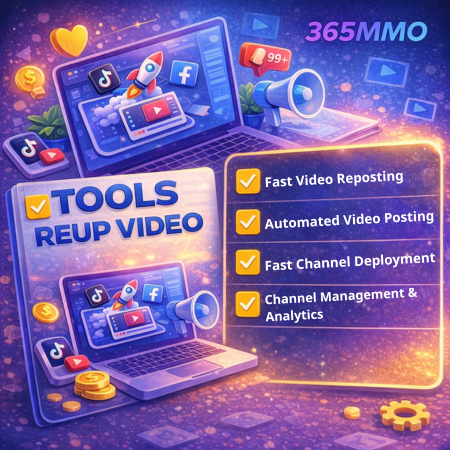
Tools Reup Video Pro TA
Tools Reup Video is a software designed to support the management and automation of video channel operations, helping users save time and optimize the content publishing process across video platforms. The tool allows users to reupload videos, schedule automatic posting, monitor channel performance, and manage channels directly within the software. It is ideal for content creators, publishers, and creators who need to handle a large volume of videos